














Rewards and Recognition


Key Features
Best in class relocation industry software just 2 clicks aways from you
Employee Onboarding: A Core Feature of Your CRM-SOP Software
Adding your team members is essential to activate and utilize the CRM-SOP system effectively. The
software is designed with scalability in mind—whether your team consists of just 2 members or 2,000,
each user plays a critical role in the workflow. Without onboarding your employees, the system
cannot function as intended.
This CRM-SOP solution is built to support businesses of all sizes—small, medium, or large—using a
unified structure.
Key employee management features include:
-
Employee Details Mapping: Personal details are linked with their respective departments and designations.
-
Individual Logins: Each employee receives their own login credentials to access and operate within the system.
-
Address & Communication Records: Maintain up-to-date residential and contact information for each team member.
-
Educational Background: Record and manage employees’ academic qualifications.
Customer Onboarding: Tailored for B2B and B2C Segments
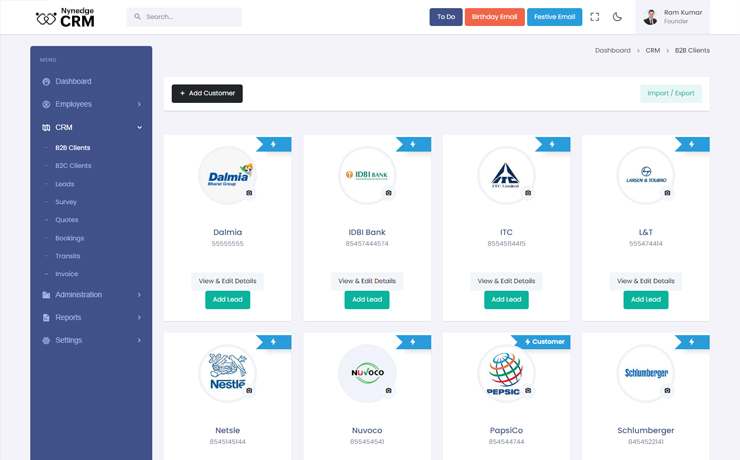
The CRM-SOP software categorizes clients into two distinct types: B2B
(Business-to-Business) and B2C (Business-to-Consumer). In the relocation industry, companies may
serve either segment exclusively or both. To accommodate this, the system is designed to manage each
customer type seamlessly—this process is known as Customer Onboarding.
Key features include:
-
B2B Grid View and B2C List View for organized customer management
-
Add new customers based on their type—B2B or B2C
-
Edit and update customer information as needed
-
Assign designated team members to specific clients for personalized service
Lead Creation: Seamless Integration Post Customer Onboarding
Once a customer is onboarded, you can initiate contact via phone, email, or in person
to generate a lead. Each lead captures essential details such as customer information, origin and
destination addresses, itemized belongings, handyman support requirements, and insurance
preferences. This step also marks the beginning of team assignment.
Key Features of the Lead Creation Process:
-
Automatic Data Pull: Clicking “Add Lead” auto-fills customer information from the system.
-
Moving Type & Lead Source: Choose from various moving types—Local, Domestic, Commercial, or International—and specify the source of the lead.
-
Origin & Destination Details: Enter full address details including city, state, country, floor number, lift availability, and preferred dates for packing, moving, and delivery.
-
Article Entry: Add items such as TV, washing machine, beds, tables, computers, and more using a pre-defined list in CFT (Cubic Feet) format. The system also allows for custom entries to accommodate unique items.
Survey Management: Clear Visibility & Streamlined Workflow
The Survey section provides a dedicated interface where you can easily track the
survey status of each customer—whether a survey is completed or still pending.
A card-based classified view offers at-a-glance visibility into customer statuses such as:
• Survey Done
• Survey Required
• Address Not Found
• Address Not Found & Survey Declined
Key Features:
-
Survey Required: View a filtered list of all pending surveys that need to be scheduled or conducted.
-
Survey Team Access: Surveyors can edit lead article details to reflect any changes discovered during the on-site visit.
-
Survey Done: Instantly generate a quote with a single click, streamlining the transition from survey to proposal.
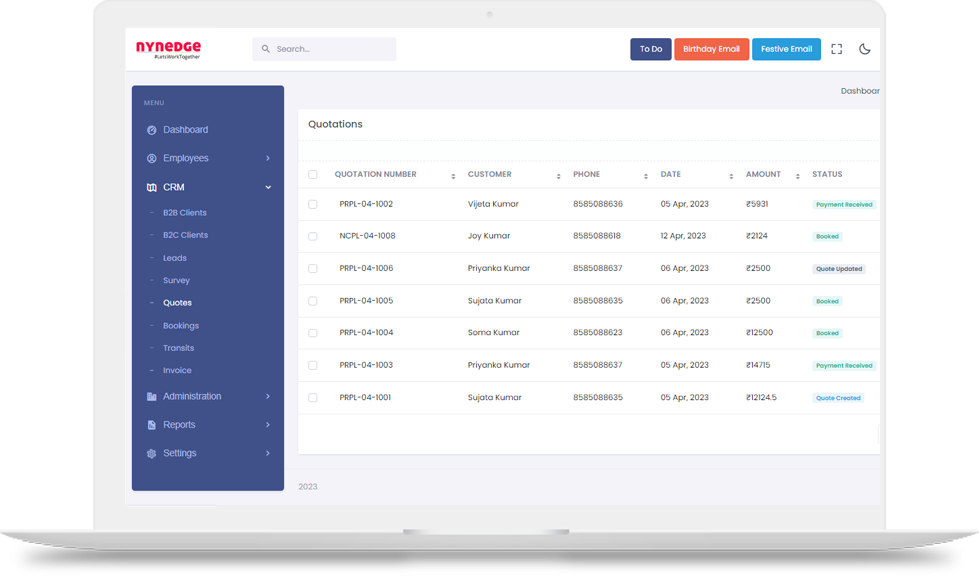
Quote Management: Automated, Accurate & Effortless
In the Quote List section, you can easily review all generated quotes—each sent
automatically via email. The system allows one-click quote approval, instantly updating the status
without manual intervention.
Key Features:
-
Branch Selection with Multi-GST Support: If your organization operates multiple branches under different GST numbers, you can generate quotes from the appropriate branch with the correct GST applied.
-
Auto-Fill Customer Details: Generate quotes instantly—customer information is auto-pulled from the system, eliminating the need for manual data entry.
-
Flexible Discount Options: Apply discounts either as a flat amount or percentage, allowing for customizable pricing adjustments.
-
CFT-Based Quoting: Automatically populate quote values using Cubic Feet (CFT) data. Add service details from a pre-defined list, and let the auto-calculator handle the totals.
-
Tax Configuration: Choose from tax options such as GST, RCM, or Not Applicable, and send quotes via PDF through email and SMS.
-
Editable Terms & Conditions: Use pre-defined company terms, which are fully editable within the system. You can customize them as needed before sending the quote.
Booking Management: Track Confirmed Customers with Ease
The Bookings section displays all customers who have approved your quotation,
providing a centralized list of confirmed jobs.
Key Features:
-
Final Confirmation Handling: Accept a booking only after receiving final confirmation from the customer. If the booking is canceled, the associated quote is automatically canceled as well.
-
Comprehensive Booking Details: View complete information including:
Customer details
Origin and destination addresses
Itemized article list
Handyman service requirements -
Export Options: Easily print the booking summary or download it as a PDF for records or sharing.
In-Transit Management: Real-Time Tracking and Updates
The In-Transit section provides detailed information on confirmed bookings,
categorized into two segments: “Upcoming Transits/Jobs” and “On Transit”.
Key Features:
-
Automatic Segmentation: The system automatically sorts bookings into upcoming and active transit stages.
-
Location Updates: While shipments are in transit, you can update their current location in real-time.
-
Resource Assignment: Easily assign transporters, handymen, and vendors to each transit job.
-
Shipment Status Updates: Update the shipment status, triggering automatic notifications to customers.
-
Service Delivery Alerts: Receive “Service Deliver Soon” notifications, and once the service is completed, mark the status as “Service Delivered.”
Invoice Management: Streamlined Post-Service Process
Once a service is marked as “Delivered,” the booking will appear in the Invoice
section where you can proceed with the following steps:
-
Upload Invoice: Upload invoices using the customer’s name, quote number, and amount.
-
Customer Access: Customers can download their invoices directly from the link you provide.
-
Invoice Delivery: Send the invoice via email and SMS with just a click.
Vendor Management: Comprehensive Overview and Easy Access
The Vendor Manager allows you to list all your associates and view their details at a
glance, including contact information, location, and bank details.
Key Features:
-
Vendor Categorization: Organize vendors by categories such as Transporters, Handymen, Origin Vendors, and Destination Vendors.
-
Add Vendor Details: Easily add vendors with complete information, including name, contact details, email, bank information, and location.
-
Pre-Transit Setup: The system requires vendor information to be entered before scheduling transits for upcoming jobs.
Have A Close Look
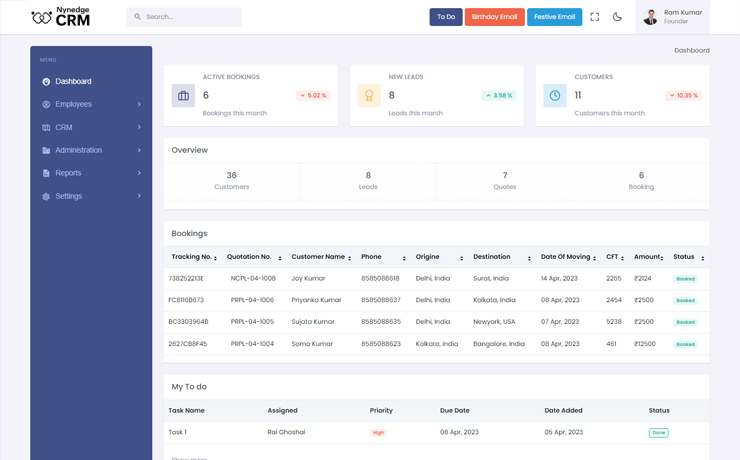
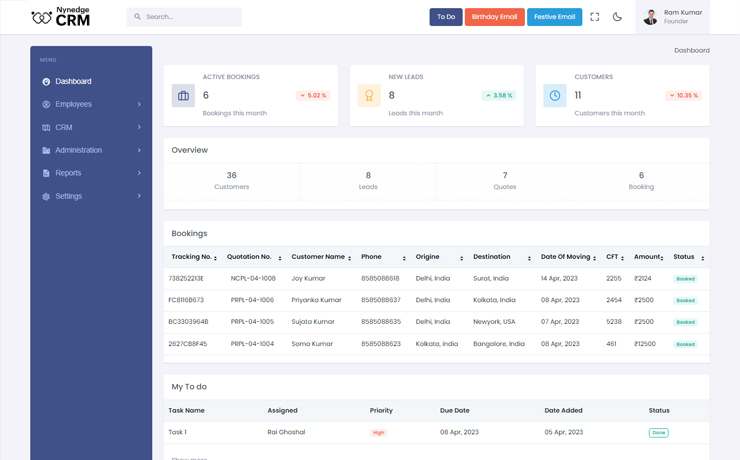
Take a closer look at how our solution transforms your business. Discover real user experiences, key benefits, and why this product stands out in the market. See firsthand how it can streamline your operations and drive success.
Integrated with all important tools
Third-party tools help you to automate your system and hassle-free work on regular basis





Pick a plan that suits your business
Seeding
For startups and small teams getting off the ground
- Everything Seeding
- OTP Verification
- Email Support
- Phone support
Mighty Oak
For enterprises that need scale, security, and control
- Everything Evergreen
- Self-hosted
Best-in-class reporting system
-
Sales report with automated calculation
-
Leads detailed reports
-
Booking and Transits Reports
Frequently Asked Questions
CRM-SOP software integrates customer relationship management (CRM) with standard operating procedures (SOP) to streamline your entire business workflow — from lead generation and customer onboarding to transit tracking and invoicing. It improves efficiency, accuracy, and communication across your team.
Yes, the system is designed to manage both B2B (business-to-business) and B2C (business-to-consumer) customer types, allowing you to tailor your services accordingly.
You can add employees by entering their personal details, department, and designation. Each employee gets individual login credentials to access the system and manage their assigned tasks.
Absolutely. The software provides clear visibility on survey statuses—whether they are pending, completed, or declined—and allows you to manage leads efficiently from creation to approval.
Quotes are generated automatically using customer and shipment details. You can apply discounts, select tax options (GST, RCM), and send quotes directly via email or SMS. Branch-wise GST support is also available.
Yes, the Vendor Manager allows you to add, categorize, and assign transporters, handymen, and other vendors for each job, ensuring smooth coordination during transit.
Once a service is marked as delivered, you can upload invoices linked to the customer and quote details. Invoices can be sent to customers via email and SMS, and customers can download them directly from provided links.
Yes, it’s designed to support businesses of all sizes—from startups with a few team members to large enterprises with thousands of employees.
Yes, the system automatically sends notifications to customers about shipment progress, upcoming deliveries, and service completions.
The software includes editable templates for terms and conditions, service lists, and other settings, allowing you to customize it according to your business needs.